
Moving soon — or already moved?
Don’t let your old address follow you.
Moving? Coast Up checks the email accounts you choose for companies and accounts that may still have your old address — like banks, loans, insurance, subscriptions, and more. Then it gives you one simple list of what to review and update.
No guessing. No searching one by one. Just your personalized moving list.
Mail forwarding can help redirect your mail. It does not update the address saved inside every account.
One simple moving list
Works with:Gmail • Outlook / Microsoft • iCloud
Up to 2 email accounts • 2 scans • 60-day results access from first results • One-time purchase
No subscription • Inbox access removed after each completed scan
One-time purchase
No subscription.
Already purchased? View My Results
Included with Coast Up
Know what to update — and what your new location requires.
Coast Up doesn’t just help find accounts tied to your old address. You also get a moving essentials checklist, plus state and local requirements for the place you’re moving to.
Know What to Handle After You Move
Get a clear moving checklist of important tasks and address updates that may need your attention after a move, so you can work through them in one place instead of trying to remember everything yourself.
Know What Your New Location Requires
Coast Up also provides destination-based state and local moving requirements, so if you move to a different state or city, you can see what may need your attention there, with links to official government sources and deadlines when officially provided.
See the Source. Know Where to Update.
Coast Up shows the source behind what it finds and provides official company or government links when available, so you can verify the information and go directly to the right place to review or update it.
One place to see what may still need updating, what your new location may require, and where to take action.
Before you move
Get ahead before moving day.
Run Coast Up while you still have time to review important accounts, update saved addresses and reduce the chance that future statements, notices or deliveries are created using the address you’re leaving.
Already moved?
Catch what you may have missed.
Use Coast Up after your move to help find accounts that may still have your old address, then work through them at your own pace.
Whether your move is next month or already happened, Coast Up helps you rely less on memory.
Why not just search your email?
You can search your email if you already know exactly what to look for. The problem is remembering every bank, lender, insurance company, subscription, account, and other company that may still have your old address.
Searching your email yourself
- You have to know what to search for
- You may need to run lots of different searches
- It's easy to forget a category
- You still have to make your own list
- You have to keep track of what you finished
Using Coast Up
- Connect the email accounts you choose
- Coast Up does the searching for you
- See possible accounts in one place
- Important items are easier to spot
- Go to official websites to make updates
- Mark things complete as you go
Moving already gives you enough to remember. Coast Up helps with the part people forget.
How Coast Up works
Four simple steps. You stay in control of every update.
Tell us you're moving
Enter the address you're leaving, your new address and your moving date.
Connect your email
Choose the supported email accounts you want Coast Up to check. Gmail, Outlook / Microsoft or iCloud. Up to 2 email accounts are included.
Coast Up looks for accounts
We perform limited searches to help identify companies and accounts that may need attention after your move.
Get your personalized list
See what may need your attention, organized so the most important items are easier to find. Visit the official websites you need and mark items complete as you go.
Free Referral Program
A free referral program for businesses that help people move
Get a referral link, QR code, and ready-to-share materials for $0. No subscription, software integration, or customer information required. Optional Client Credits are also available if you want to pay for a customer’s Coast Up.
Mail forwarding helps. It doesn’t update every account.
Submitting a change of address gives you an important safety net, but it does not mean every lender, insurer, subscription, financial account, retailer, membership, or other organization has changed the address stored in its own account records.
Coast Up is made to help you find companies and accounts you may have forgotten, so you can update them directly.

12 months
Permanent USPS Change of Address primarily forwards First-Class Mail for 12 months.
60 days
Periodicals are generally forwarded for 60 days.
Not everything follows the same rules
USPS states that some mail categories, including Package Services Mail, generally do not receive the same forwarding treatment.
Source: U.S. Postal Service — Mail Forwarding Options
Forwarding buys you time. Updating the companies themselves fixes the address where it's saved.
Here’s the kind of thing Coast Up can help you catch.
Loans. Insurance. Banks. Subscriptions. Retirement accounts. And other companies you may not remember while you’re packing, moving, and changing everything else.
See example Coast Up results
See sample screens of how Coast Up helps surface accounts and organize results.
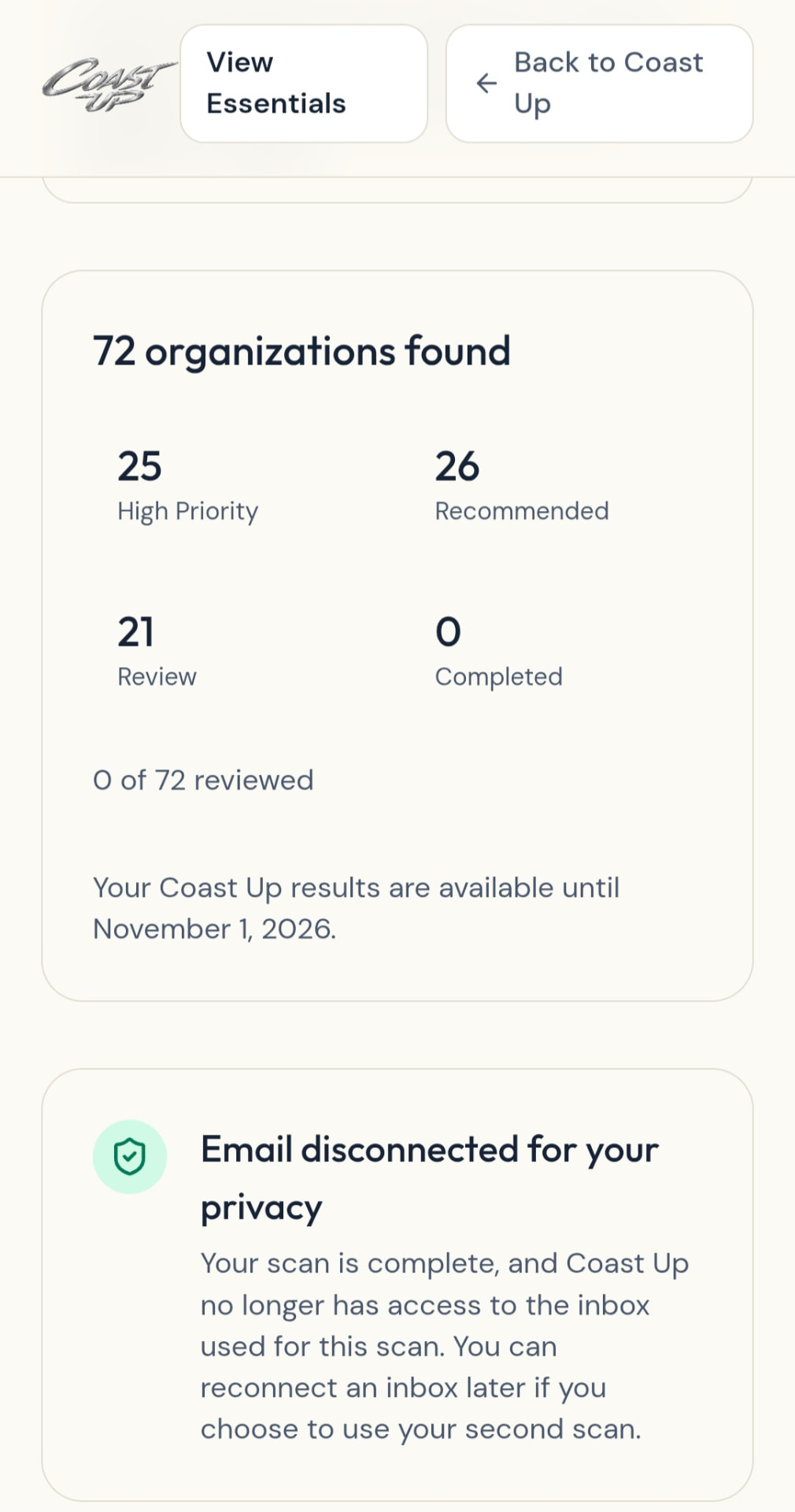
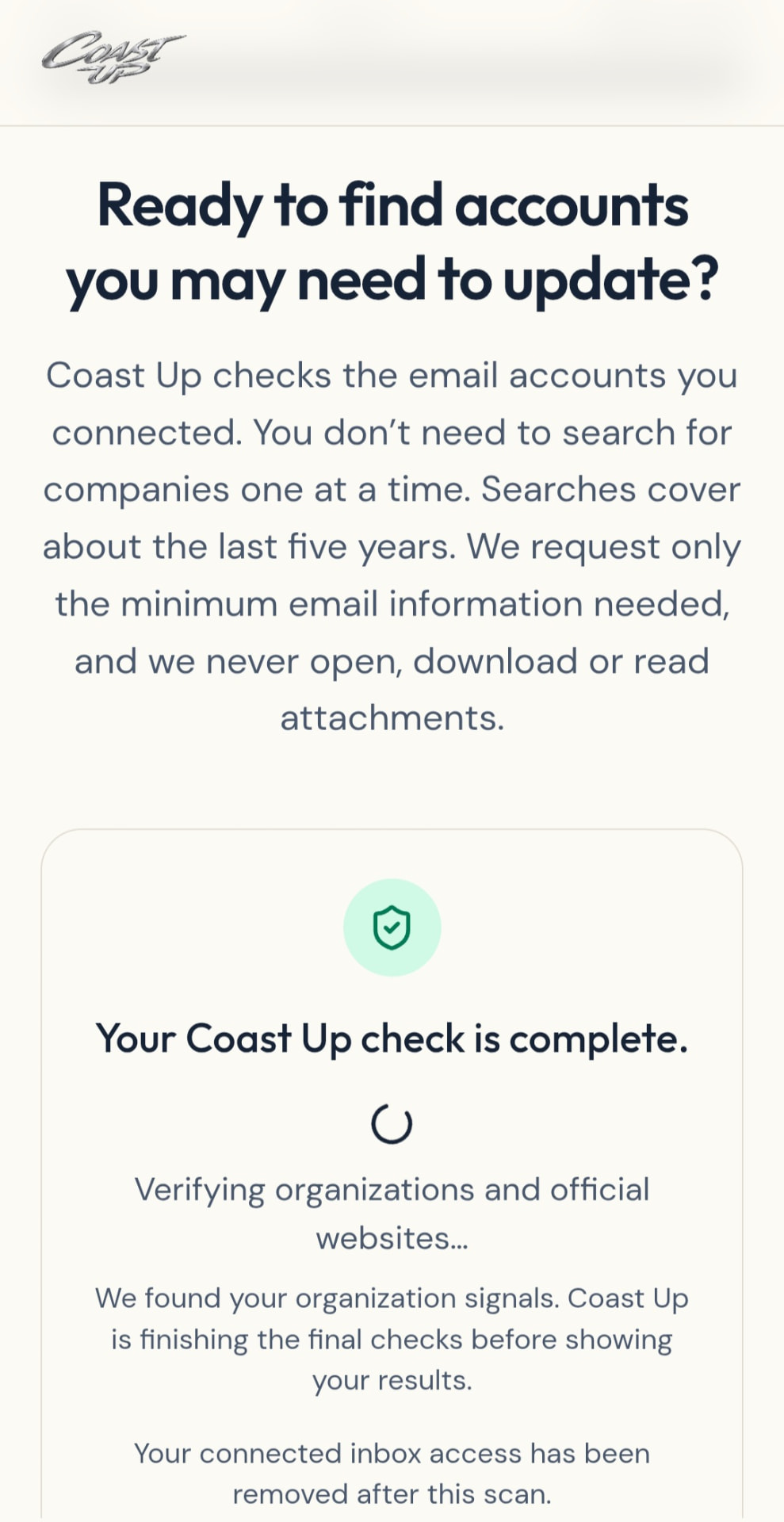
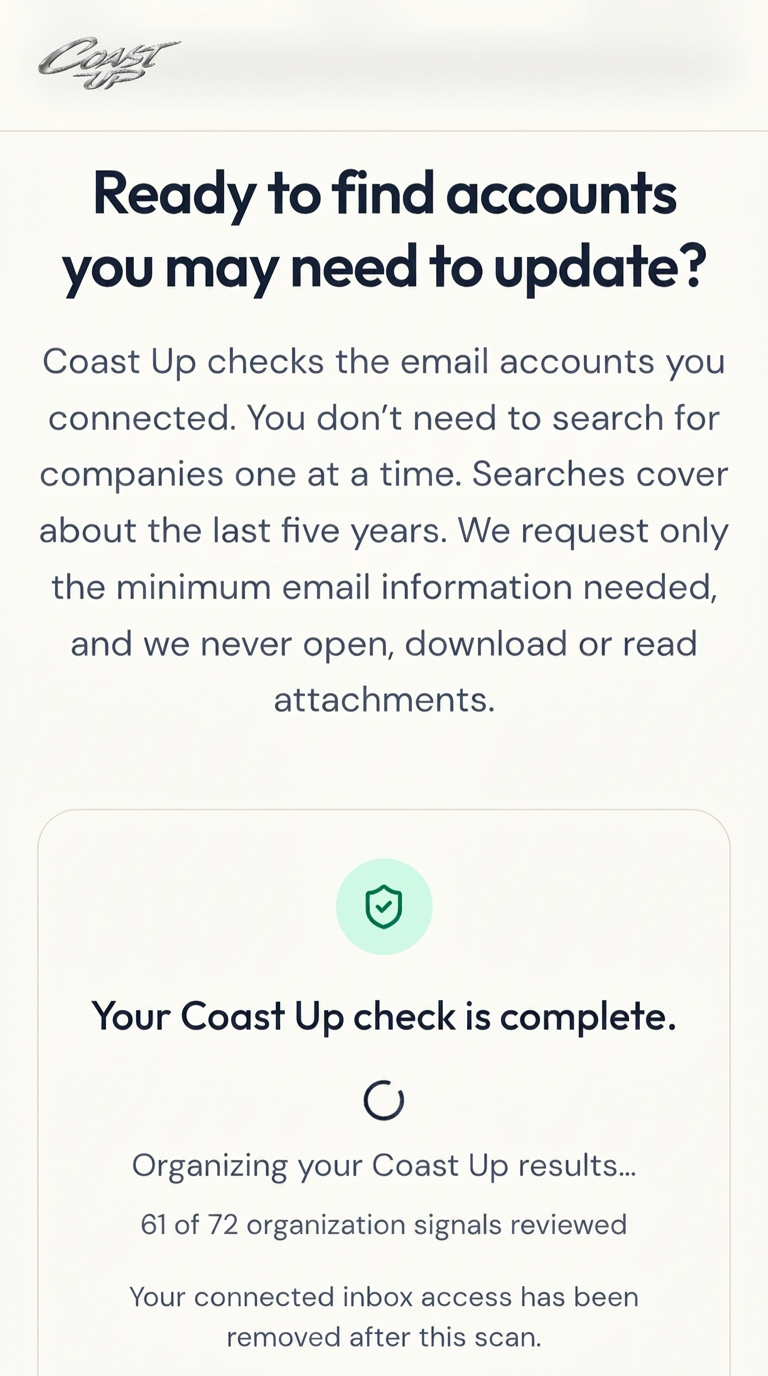
Example previous address
Your previous address goes here
Auto Loan / Loan Servicer
HIGH PRIORITYLoans / Financing
An account tied to your vehicle or financing may still have your previous address.
Retirement / 401(k) Provider
HIGH PRIORITYRetirement / Investments
Financial accounts you rarely interact with can be easy to overlook during a move.
Insurance Provider
HIGH PRIORITYInsurance
Policies and account records may need your current address even when you rarely contact the provider.
Netflix
REVIEW PRIORITYSubscription
Even everyday accounts can retain address or billing information that deserves a quick review.
These are examples only. Coast Up does not assume you use these companies, and it cannot promise every company will be found. Your results come from the email accounts you choose.
The problem isn’t knowing you moved. It’s remembering everyone who needs to know.
Relying on memory
- You remember the obvious accounts first.
- Older or rarely used accounts are easier to overlook.
- A company may continue using the old address in its own records.
- Future statements, documents, replacement cards, notices, or deliveries may still be generated using outdated information.
- You may discover the forgotten account only after something goes wrong.
Using Coast Up
- Coast Up checks the email accounts you choose for companies tied to your old address.
- Accounts you forgot about can show up next to the ones you already remembered.
- The most important items are easier to spot.
- Coast Up shows you why each company was found.
- You update the company directly and mark it complete.
- Everything stays in one Coast Up list you can come back to.
Coast Up doesn’t replace your judgment. It gives you a personalized place to start instead of relying on memory alone.
Moving happens every day. Remembering every account is the hard part.
71,130
address changes per day on average in 2025
U.S. Postal Service — Postal Facts
11.8%
of the U.S. population moved to a different residence in 2024
U.S. Census Bureau — American Community Survey
Built to minimize what we process.
Your accounts stay in your control at every step.
No normal email password
Coast Up never asks for your normal email password.
Purpose-limited scanning
Coast Up performs limited searches of the email accounts you authorize — not to use your inbox for unrelated purposes.
Minimum necessary information
Coast Up is designed to use the minimum email information needed to identify companies that may need your attention.
You stay in control
Coast Up does not log into your banks, lenders, insurers, retailers, or other accounts. You always make changes directly with the organization.
Connect the email accounts you actually use
Up to 2 email accounts are included, and you can mix supported providers.
Your connections are private and secure. Coast Up only uses the access you authorize to perform your scan.
Gmail
Connect securely with Google
Uses Google’s authorization flow. Coast Up never receives your Google password.
Outlook / Microsoft
Outlook, Hotmail, Live and Microsoft 365
Uses Microsoft’s secure authorization flow. Coast Up never receives your Microsoft password.
iCloud
Connect using an Apple app-specific password
Your normal Apple Account password is never shared with Coast Up.
You stay in control. Email access is used only for the Coast Up scan you initiate and is disconnected after the scan is completed.
Need another provider?
Don’t see your email provider?
These providers are not supported yet. Tell us which one you use and we’ll use it to prioritize what we add next. No email address or mailbox credentials are required. A small random browser token is used only to prevent duplicate requests.
Don’t wait until the old address becomes a problem.
Coast Up can be especially useful before your move. Finding forgotten companies early gives you time to update important accounts before more statements, documents, notices, or deliveries are generated using the previous address.
Before the move
Run your Coast Up scan and see what may still be connected to your old address.
Review & update
Start with higher-priority findings and update each organization directly.
After the move
Return to Coast Up, finish anything remaining, and keep track of what you already handled.

The goal: No mail or information going to your old address
Moving is a high-volume, high-friction task
33M+
change-of-address transactions each year
USPS says it processes more than 33 million change-of-address transactions each year — over 93,000 per day.
U.S. Postal Service, December 10, 2024 congressional testimony
11.8%
of U.S. residents moved in 2024
The U.S. Census Bureau reports that 11.8% of the population moved to a different residence in 2024.
11.7
moves in an average American lifetime
The USPS Office of Inspector General reports that the average American moves 11.7 times in their lifetime.
USPS Office of Inspector General, Postal Automated Redirection System report, April 10, 2025
Mail forwarding helps. It doesn’t update your accounts.
- USPS says some mail from businesses, financial institutions, and government agencies using certain endorsements may not forward — it gives examples such as driver’s licenses or bank statements.
Coast Up complements USPS forwarding; it doesn’t replace it.
Sources: U.S. Postal Service · U.S. Census Bureau · USPS Office of Inspector General
Common questions
Short answers to what people ask before starting a Coast Up.
What exactly does Coast Up do?
It performs limited searches of the email accounts you choose to help identify organizations that may need attention after a move, then puts them in one simple list with the official website for each one so you can update them yourself.
Does Coast Up read my entire inbox?
No. Coast Up runs a limited search and is designed to read only the minimum information needed — a temporary message identifier, the sender and the date. Attachments are not processed.
Does Coast Up change my address for me?
No. Coast Up does not log into third-party accounts. You make each change directly with the organization and mark it complete.
How long does Coast Up stay connected?
Only for the scan. Connected inbox access is removed after each completed scan. There is no continuous monitoring.
What happens if an account is already updated?
You may still see it, because older email evidence references your previous address. Just mark it complete.
What is the refund policy?
Refund eligibility ends when your first scan begins or 30 calendar days after purchase, whichever comes first. Exceptions required by law, duplicate charges, payment errors and verified Coast Up technical failures still apply.
Your move already has enough things to remember.
Let Coast Up help find the accounts you may not remember on your own.
Ready to move without the loose ends?
Start your Coast Up and see which companies may still have your old address.
One-time purchase
No subscription.